PROGRESSIVE WEB APP THE WEBSITE IS INSTALLABLE VIA YOUR FAVORITE WEB BROWSER
YOU'VE UNLOCKED A FASTER WAY TO BROWSE
By clicking the "installable" message, you've discovered that this website is powered by Progressive Web App (PWA) technology. You can now add this site to your home screen and use it just like a native mobile app—completely free.
How to Install This Web App
iOS (iPhone/iPad)
Using Safari Browser
- Open this website in Safari.
- Tap the Share button (the square with an upward arrow) in the bottom toolbar.
- Scroll down and tap "Add to Home Screen".
- Tap Add in the top right corner. The icon will appear on your home screen instantly.
Android
Using Chrome / Edge
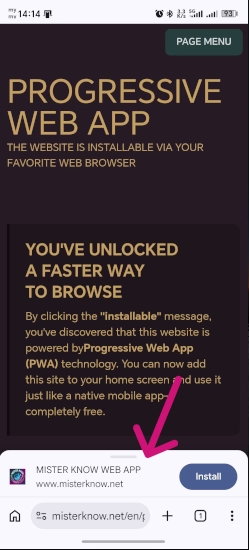
- Look for a prompt at the bottom of the screen or tap the three dots (⋮) in the top right.
- Select "Install App" or "Add to Home Screen".
- Confirm by clicking Install. You can now open it from your app drawer.
Windows / Mac
Using Chrome / Edge
- In the browser address bar, click the Install icon (computer with an arrow) on the right side.
- Click Install. The app will launch in a standalone window and appear on your desktop/dock.
STEPS TO DISPLAY PROGRESSIVE WEB APPS ON WINDOWS
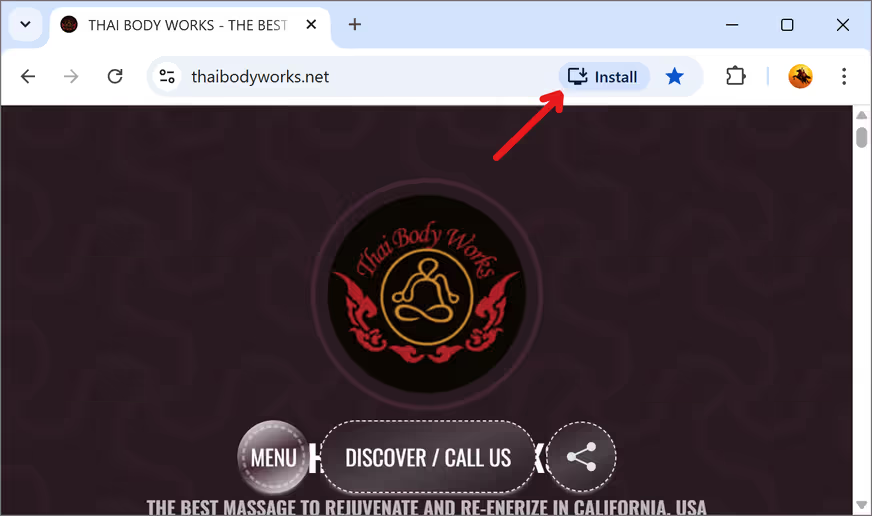
Initial view when visiting the website for the first time on a PC (developed with PWA features).
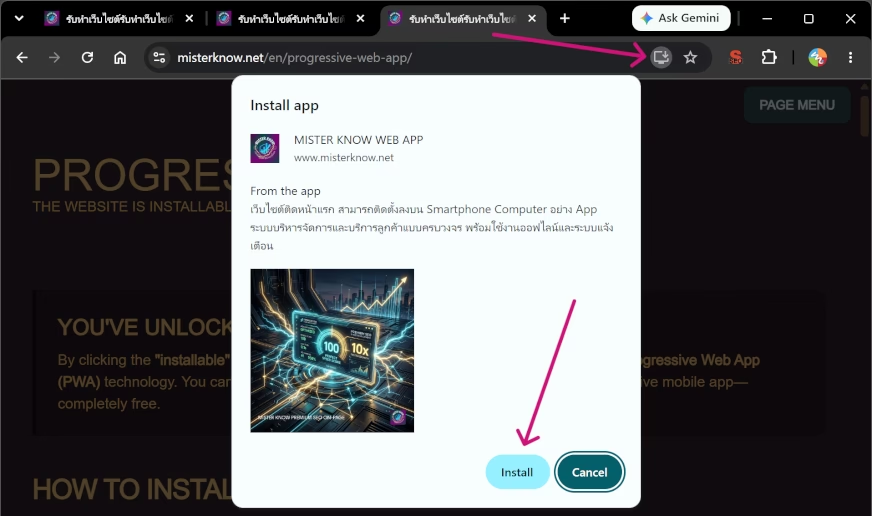
The PWA installation prompt appears when clicking the "Install" button in the browser address bar.
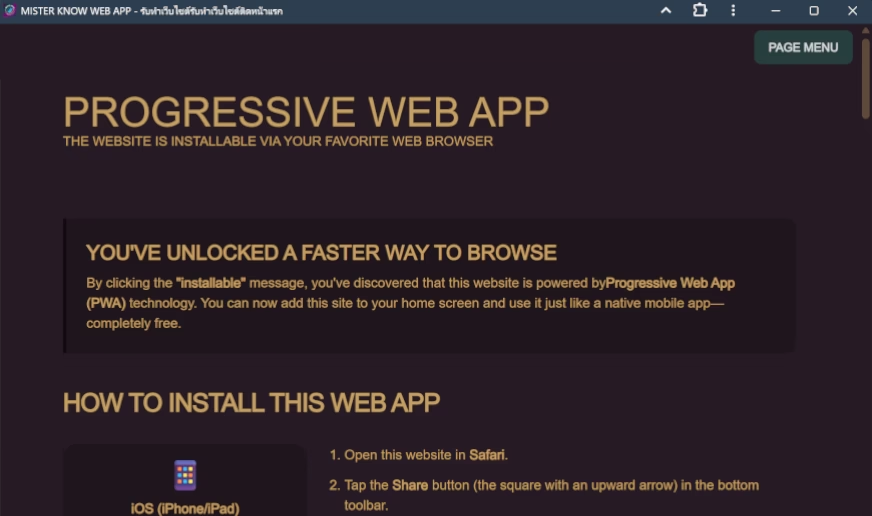
The PWA application opens automatically once the installation is successfully completed.
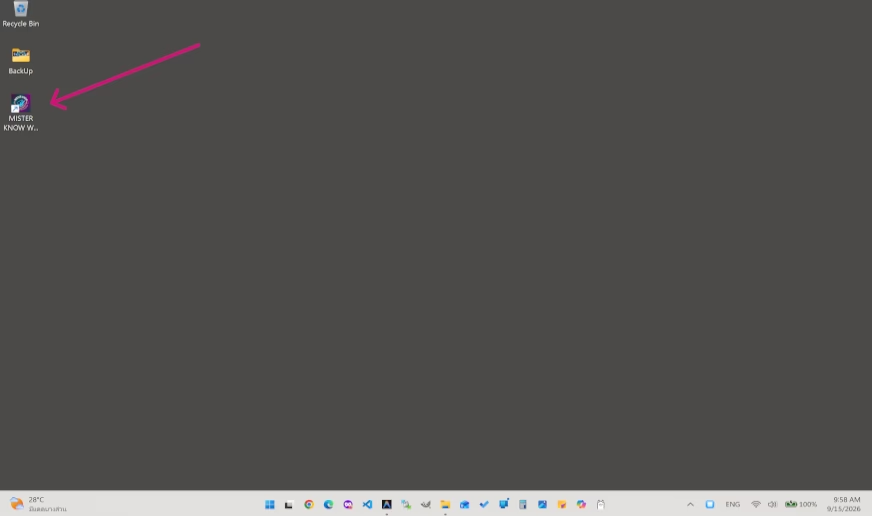
The PWA desktop icon provides a native app experience, consistent across PC, mobile, and tablet devices.
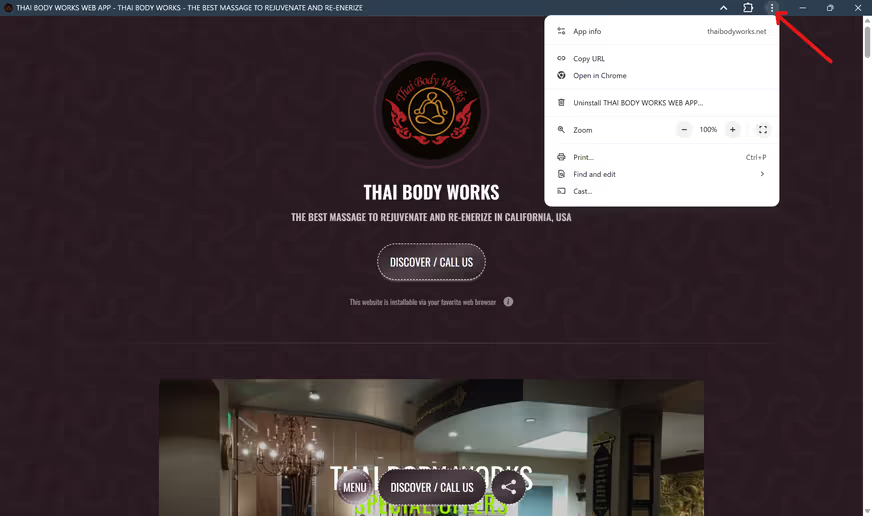
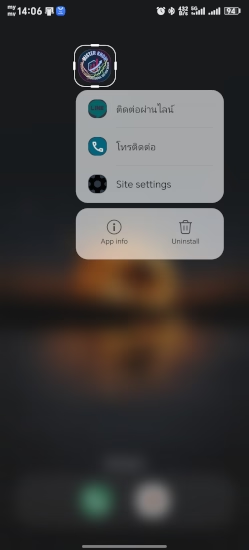
When the PWA is launched by double-clicking its icon on the desktop, right-clicking the icon reveals a sub-menu. If this function is installed within the app, it will display: a phone icon (for making calls) and a LINE icon (for adding a friend or opening the LINE app if installed). These will open immediately upon clicking.
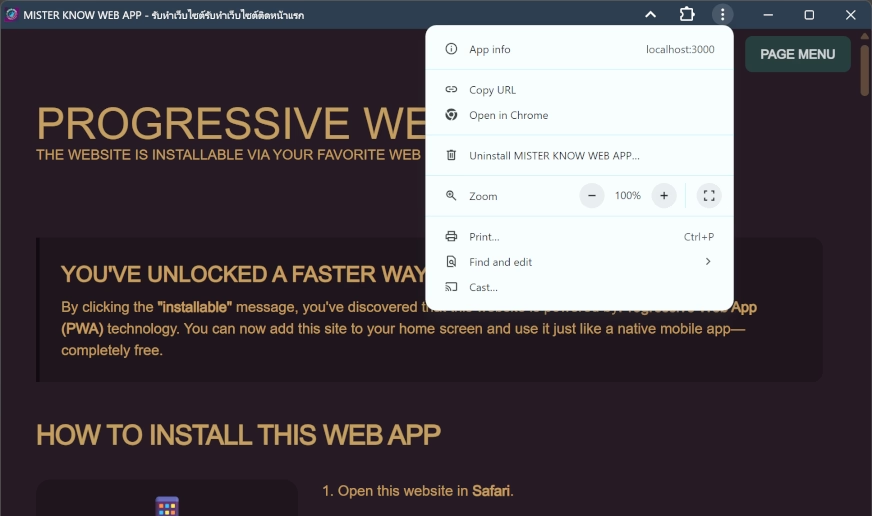
The PWA system interface includes several options, such as:
- Uninstall menu
- Information about the web browser used to install and run the PWA.
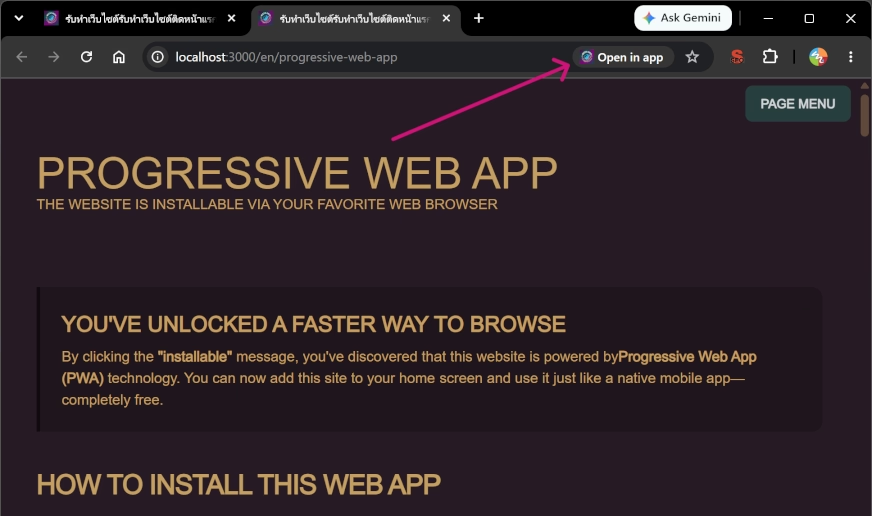
The "App" icon in the browser address bar indicates that the PWA is already installed on your system.
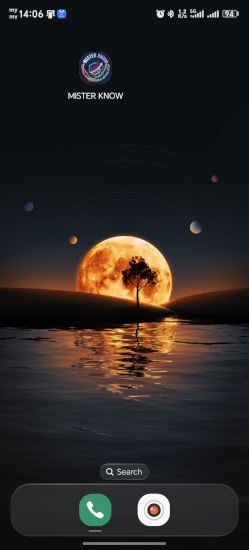
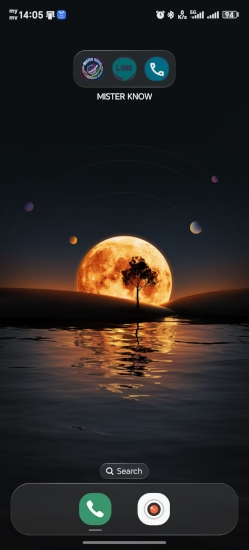
PROGRESSIVE WEB APPS ON ANDRIOD MOBILE
Why Use the Web App?
Offline Access
Access important information and previous content even when you have no internet connection.
Data Efficiency
The app stores assets locally, meaning it loads nearly instantly and saves your mobile data.
No Storage Stress
Unlike App Store apps, PWAs take up almost zero space and don't slow down your phone.
Experience the MISTER KNOW Standard
This high-performance PWA technology is provided exclusively by MISTER KNOW. Mister Know specialize in building "First Page on Google" websites that combine incredible speed with modern app functionality.